.NET 8 vs .NET 10: What Actually Changes for Developers

If you’re running production services on .NET 8, this comparison is no longer theoretical. .NET 8 is in its maintenance phase, and Microsoft’s support policy lists its end of support as November 10, 2026. .NET 10 is the current long-term support (LTS) release and is supported until November 14, 2028. In this post I go through what actually changes for backend developers between the two LTS releases: the language, the runtime, ASP.NET Core, the SDK. I finish with an upgrade checklist you can use on a real service.
I’ll stick to what’s documented in Microsoft’s official release notes. Where something is a headline feature with no number behind it, I won’t invent one. Measure your own workloads.
Why compare two LTS releases
Most teams I’ve worked with only run LTS versions in production. A standard-term release in between is fine for side projects, but for services that need predictable patching, the LTS-to-LTS jump is the one that matters. The current policy is simple:
- LTS releases (even numbers) get free support and patches for three years.
- STS releases (odd numbers) get two years.
- A new major version ships every November.
- The last six months of any release’s life is the maintenance phase, when it receives security fixes only.
Here’s how the two versions line up according to the official support policy page:
| Version | Released | Type | End of support |
|---|---|---|---|
| .NET 8 | November 14, 2023 | LTS | November 10, 2026 |
| .NET 10 | November 11, 2025 | LTS | November 14, 2028 |
One detail people miss: .NET 9 (STS) also reaches end of support on November 10, 2026. If you hopped to 9 as a stepping stone, you’re on the same deadline as .NET 8. The upgrade target either way is .NET 10.
Language changes: C# 12 to C# 14 features you’ll actually use
.NET 8 shipped with C# 12; .NET 10 ships with C# 14. If you’re coming from 8, C# 12 features like primary constructors and collection expressions are probably already in your code:
// C# 12 (.NET 8): primary constructor + collection expression
public class OrderService(IOrderRepository repository, ILogger<OrderService> logger)
{
    private readonly string[] _allowedStatuses = ["Pending", "Paid", "Shipped"];

    public async Task<Order?> GetAsync(int id)
    {
        logger.LogInformation("Loading order {OrderId}", id);
        return await repository.FindAsync(id);
    }
}
C# 14 adds several features that remove real boilerplate in backend code. These are the ones I expect to use most.
The field keyword
You no longer need to declare a private backing field just to add validation or normalisation to one accessor. The field contextual keyword refers to the compiler-generated backing field:
public class Customer
{
    // Before C# 14 this needed a private _email field.
    public string Email
    {
        get;
        set => field = value?.Trim().ToLowerInvariant() ?? string.Empty;
    } = string.Empty;
}
One caveat from the docs: if a type already has a member named field, use @field or this.field to disambiguate, or rename it.
Null-conditional assignment
The ?. and ?[] operators can now appear on the left side of an assignment or compound assignment. The right side is only evaluated when the left side isn’t null:
// Before
if (order is not null)
{
    order.UpdatedAt = DateTime.UtcNow;
}

// C# 14
order?.UpdatedAt = DateTime.UtcNow;
Increment and decrement (++, --) aren’t allowed with this form.
Extension members
The new extension block lets you declare extension properties and static extension members, not just extension methods:
public static class StringExtensions
{
    extension(string value)
    {
        // Extension property: "abc".IsBlank
        public bool IsBlank => string.IsNullOrWhiteSpace(value);

        // Extension method
        public string Truncate(int max) =>
            value.Length <= max ? value : value[..max];
    }
}
Smaller quality-of-life changes
nameofaccepts unbound generic types:nameof(List<>)returns"List".- Lambda parameters can take modifiers like
out,reforinwithout explicit types:(text, out result) => int.TryParse(text, out result). - More implicit conversions between
Span<T>,ReadOnlySpan<T>and arrays. - Partial instance constructors and partial events, plus user-defined compound assignment operators.
Runtime and performance: what improved, and how to measure it yourself
Microsoft’s .NET 10 overview lists runtime improvements in JIT inlining, method devirtualization and stack allocations, along with AVX10.2 support, NativeAOT enhancements, better code generation for struct arguments and improved loop inversion. The libraries also gained new APIs across cryptography (including expanded post-quantum support), JSON serialization options such as disallowing duplicate properties, and WebSocketStream.
I’m deliberately not quoting percentages. Runtime gains depend heavily on your workload, so the honest approach is to benchmark your own hot paths on both targets. BenchmarkDotNet makes this easy because one benchmark class can run against multiple runtimes:
using BenchmarkDotNet.Attributes;
using BenchmarkDotNet.Jobs;
using BenchmarkDotNet.Running;
using System.Text.Json;

[SimpleJob(RuntimeMoniker.Net80)]
[SimpleJob(RuntimeMoniker.Net10_0)]
[MemoryDiagnoser]
public class SerializationBenchmarks
{
    private readonly Order _order = new(42, "Paid", 199.99m);

    [Benchmark]
    public string Serialize() => JsonSerializer.Serialize(_order);
}

public record Order(int Id, string Status, decimal Total);

public static class Program
{
    public static void Main(string[] args) =>
        BenchmarkRunner.Run<SerializationBenchmarks>();
}
For this to work, multi-target the benchmark project (<TargetFrameworks>net8.0;net10.0</TargetFrameworks>), run it in Release mode, and benchmark the code that actually matters to your service rather than a toy method.
ASP.NET Core and minimal APIs: what’s different day to day
For backend APIs, these are the ASP.NET Core 10 changes worth knowing about.
Built-in validation for minimal APIs
Minimal APIs can now validate query, header and body data using DataAnnotations. Register it once and failed validation returns a 400 Bad Request with error details:
using System.ComponentModel.DataAnnotations;

var builder = WebApplication.CreateBuilder(args);
builder.Services.AddValidation();

var app = builder.Build();

app.MapPost("/products", (Product product) => TypedResults.Ok(product));

app.Run();

public record Product(
    [Required] string Name,
    [Range(1, 1000)] int Quantity);
The docs note that AddValidation uses a source generator that only discovers validatable types in the assembly where it’s called, and that .DisableValidation() opts a specific endpoint out.
Server-Sent Events
TypedResults.ServerSentEvents streams an IAsyncEnumerable to the client over a single HTTP connection. It’s a lightweight option for progress updates or live feeds when you don’t need full WebSockets:
app.MapGet("/ticks", (CancellationToken ct) =>
    TypedResults.ServerSentEvents(Ticks(ct), eventType: "tick"));

static async IAsyncEnumerable<string> Ticks(
    [System.Runtime.CompilerServices.EnumeratorCancellation] CancellationToken ct)
{
    while (!ct.IsCancellationRequested)
    {
        yield return DateTime.UtcNow.ToString("O");
        await Task.Delay(1000, ct);
    }
}
OpenAPI 3.1 by default
Generated OpenAPI documents now default to version 3.1, and the underlying Microsoft.OpenApi library moved to 2.0. If you have custom document, operation or schema transformers, expect to update them. For example, OpenApiAny is gone in favour of JsonNode. The document can also be served as YAML by mapping an endpoint ending in .yaml.
Other changes worth knowing
- Cookie auth on API endpoints: unauthenticated and unauthorized requests to known API endpoints now get 401/403 instead of a redirect to a login page. This is a breaking change if anything relied on the redirect.
- Testing top-level programs: a source generator now emits
public partial class Program, so you no longer have to add it by hand forWebApplicationFactorytests. - Memory pools: Kestrel’s memory pools now automatically release memory when the app is idle.
- JSON Patch: a new
System.Text.Json-based implementation is available inMicrosoft.AspNetCore.JsonPatch.SystemTextJson. It isn’t a drop-in replacement for the Newtonsoft version.
Tooling and SDK: CLI, containers and build changes
- Noun-first CLI aliases:
dotnet package add,dotnet package list,dotnet reference addand so on. The old verb-first forms still work. - One-shot tools:
dotnet tool execand the newdnxscript run a .NET tool without installing it, which is handy in CI. - File-based apps: a single
.csfile can be run and published withdotnet publish app.cs, and file-based apps target native AOT by default. - Containers: console apps can create container images with
dotnet publish /t:PublishContainer, and a new property controls whether images use Docker or OCI format. - Package pruning: for projects targeting .NET 10, NuGet now prunes framework-provided package references. That means fewer restored packages and fewer false positives from NuGet Audit.
- Testing:
dotnet testsupports Microsoft.Testing.Platform when you enable it inglobal.json.
Breaking changes and gotchas to check before upgrading
Based on the official release notes, these are the items I’d check first on a typical backend:
- OpenAPI transformers that use OpenAPI.NET 1.x types. These need updating even if you pin the document version to 3.0.
- Code that expects cookie-auth redirects on API endpoints, which now return 401/403.
- Custom
JsonConverters. MVC and minimal APIs now deserialize throughPipeReader, and a converter that doesn’t handleUtf8JsonReader.HasValueSequencecan fail. The temporary workaround is theMicrosoft.AspNetCore.UseStreamBasedJsonParsingAppContext switch. - Exception-handler logging. Exceptions handled by an
IExceptionHandlerare no longer logged by the middleware by default. - Identifiers named
fieldinside property accessors, which now clash with the C# 14 keyword.
Always read the full “Breaking changes in .NET 10” list on Microsoft Learn for the libraries you actually use.
A step-by-step upgrade checklist
- Install the .NET 10 SDK and update
global.jsonif you pin the SDK. - Change the target framework:
<TargetFramework>net10.0</TargetFramework>. Using aDirectory.Build.propsmakes this a one-line change across a solution. - Update packages: move all
Microsoft.*andSystem.*packages to their 10.x versions withdotnet package list --outdated. - Build with warnings visible and fix new analyzer warnings and obsoletions.
- Run the full test suite, especially integration tests around auth, JSON serialization and OpenAPI generation.
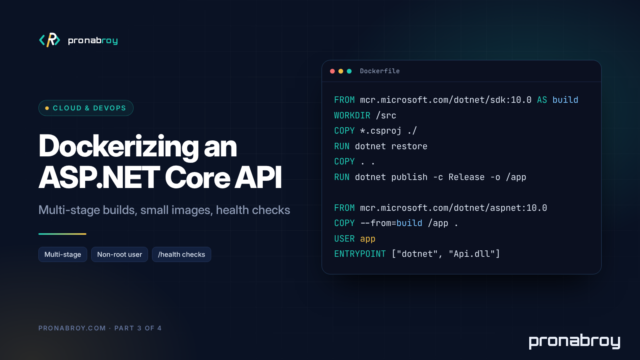
- Update Docker base images from
8.0to10.0tags, and CI images to the new SDK. - Benchmark your hot paths on both runtimes, as above.
- Roll out gradually, one service or one environment at a time, watching error rates and memory.
The gap between .NET 8 and .NET 10 isn’t dramatic in day-to-day code, and that’s a good thing. Most of the work is mechanical. With .NET 8 support ending on November 10, 2026, now is the time to do it.
Sources
- .NET and .NET Core Support Policy (Microsoft, updated October 13, 2026)
- What’s new in .NET 10 (Microsoft Learn)
- What’s new in C# 14 (Microsoft Learn)
- What’s new in C# 12 (Microsoft Learn)
- What’s new in ASP.NET Core in .NET 10 (Microsoft Learn)
- What’s new in the SDK and tooling for .NET 10 (Microsoft Learn)