Resource Modelling and URL Design
📘 API Design and Integration: The Practical Handbook — Chapter 2 of 12 Part I: Foundations · ~11 min read Goal: Turn a business domain into clean, consistent resources and URLs that clients can predict. Table of Contents · [ Read as eBook ]
In Chapter 1 we wrote ShipCart’s first endpoint, GET /products. One endpoint is easy. Fifty endpoints, written by four teams over two years, are where APIs start to drift: /getOrders next to /order/{id}, /shipment_tracking next to /shipments/{id}/events, and nobody quite sure which pattern is the “real” one.
The fix isn’t a clever framework feature. It’s a small set of design decisions you make early and write down: what your resources are, how they relate, and how their URLs are spelled. This chapter walks through those decisions, models ShipCart’s catalogue, cart, order, and shipment resources, and finishes by wiring them up with route groups in ASP.NET Core.
Start With the Domain, Not the Database
A resource is anything important enough to be named and addressed: a product, an order, a shipment. In REST terms, the URL identifies the resource, and the JSON you send or receive is a representation of it (Chapter 1). The resource is the concept; the database row is just one way you store it today.
The simplest way to find resources is to listen to how people describe the business and underline the nouns. A ShipCart product manager might say:
“A merchant lists products in their catalogue. A customer adds products to a cart, checks out to create an order, and pays. The warehouse packs the order into one or more shipments, and the carrier sends tracking events until each shipment is delivered.”
That one paragraph gives us a first list of candidate resources:
| Noun | Resource? | Notes |
|---|---|---|
| Merchant | Yes | Owns products; mostly managed through the SaaS admin side. |
| Product | Yes | The catalogue item customers browse. |
| Catalogue | Probably not on its own | It’s the collection of products, so /products already covers it. |
| Customer | Yes | Often exposed as “the current user” rather than by ID (more below). |
| Cart | Yes | Short-lived, one per customer session. |
| Cart item | Yes, as a sub-resource | Only meaningful inside a cart. |
| Order | Yes | Long-lived, the heart of the system. |
| Order item (line) | Yes, as a sub-resource | Belongs to exactly one order. |
| Payment | Yes | Has its own lifecycle (authorised, captured, refunded). |
| Shipment | Yes | One order can have several. |
| Tracking event | Yes, as a sub-resource | An append-only history of a shipment. |
| Carrier | Maybe | Reference data. Expose it only if clients need to list or choose carriers. |
Two rules of thumb help with the borderline cases:
- If clients need to read it, change it, or link to it on its own, it’s a resource. A tracking event is worth addressing because carriers push them and storefronts display them.
- If it only ever appears as part of something else, it can stay a field. A product’s dimensions are attributes, not a resource, unless you find a real need to manage them separately.
Notice what’s not on the list: order_status_history, product_inventory_snapshot, cart_lines_v2. Those are table names, and we’ll come back to why they don’t belong in URLs.
Collections, Items, and Sub-Resources
Most resources come in two shapes:
- A collection:
/products,/orders,/shipments. - A single item within that collection:
/products/{productId},/orders/{orderId}.
The pairing is what makes an API predictable. A developer who has used GET /products/{productId} will guess GET /orders/{orderId} without opening the docs, and they should be right.
When to Use a Sub-Resource
A sub-resource is a collection that lives under a parent item, such as /orders/{orderId}/items. Use one when the child:
- Can’t exist without the parent. An order line has no meaning outside its order.
- Is almost always accessed through the parent. Clients ask “what’s in this order?”, not “show me every order line in the system”.
- Is scoped by the parent for security. If a customer can see an order, they can see its items; checking the parent once keeps authorisation simple.
Shipments are a good counter-example. A shipment belongs to an order, but warehouse staff and carriers work with shipments directly, often by shipment ID alone, and a carrier’s system has no reason to know ShipCart’s order IDs. So shipments get their own top-level collection, /shipments, and an order can still offer a filtered view at /orders/{orderId}/shipments. Both URLs return the same representations; they’re just two ways into one collection.
How Deep to Nest
Nesting reads nicely at first: /merchants/{merchantId}/products/{productId}/variants/{variantId}/images. In practice deep URLs cause problems:
- Every client has to know every parent ID, even when the child’s own ID is already unique.
- Moving a child to another parent (a product changing merchant, say) breaks its URL.
- Routes become long and authorisation checks multiply.
A widely used guideline is no more than one level of nesting below a top-level resource: /collection/{id}/sub-collection and, if needed, /collection/{id}/sub-collection/{subId}. If a child has a globally unique ID and is useful on its own, promote it to the top level instead: /product-variants/{variantId} rather than four levels of nesting.
URL Conventions That Age Well
None of the following is mandated by HTTP. They’re conventions, and the main value of a convention is that it’s applied everywhere. Pick a style, write it down, and stick to it.
Plural Nouns for Collections
Use /products and /products/{productId}, not /product and /product/{productId}. With plurals the collection and the item share one prefix, so the URL reads as “the products collection” and “one item in it”. Mixing singular and plural is worse than either choice on its own.
The exception is a singleton: a resource there is exactly one of in context. The current customer’s cart is a good example. GET /cart (or GET /me/cart) is clearer than making every client look up a cart ID first. Singletons are fine as long as they’re genuinely single.
Lowercase, Hyphen-Separated Path Segments
According to RFC 3986, the path of a URI is case-sensitive, while the scheme and host are not. That means /Orders and /orders can legally be two different resources, which is exactly the kind of surprise you want to avoid. Use lowercase everywhere.
For multi-word segments, hyphens (kebab-case) are the common choice: /tracking-events, /product-variants. Underscores can disappear visually when URLs are underlined as links, and camelCase in paths clashes with the case-insensitivity people expect. Several published style guides, including Zalando’s RESTful API Guidelines, recommend kebab-case for path segments.
Keep the JSON property naming separate from the URL naming. ShipCart uses camelCase in JSON (createdAt, the System.Text.Json default from Chapter 1) and kebab-case in paths. That’s normal and consistent, because each follows one rule.
No Verbs, No File Extensions, No Trailing Slash Debates
- No verbs in resource paths.
/orderswithPOSTcreates an order;/createOrderduplicates what the HTTP method already says. (Actions that genuinely aren’t CRUD are covered below.) - No file extensions. Use
AcceptandContent-Typefor formats, as we saw in Chapter 1, not/orders.json. - Pick one rule for trailing slashes. Treat
/ordersand/orders/consistently, either as the same resource or by redirecting one to the other, and never return different data for them.
Query Strings Are for Shaping, Not Identifying
The path identifies which resource. The query string shapes how you see it: filtering, sorting, paging, and field selection.
GET /orders?status=shipped&sort=-createdAt&limit=20
Avoid using query parameters as identifiers (/orders?id=8f3c...). It works, but it breaks the item URL pattern and makes caching and logging harder to reason about. We’ll cover filtering and pagination properly in Chapter 5.
Choosing Identifiers: IDs, UUIDs, and Slugs
What goes in {orderId} matters more than it looks. The identifier becomes part of your contract: clients store it, log it, and put it in support tickets.
| Option | Example | Strengths | Weaknesses |
|---|---|---|---|
| Sequential integer | /orders/1042 |
Short, readable | Reveals volume and ordering; easy to guess neighbouring IDs; ties you to one database sequence. |
| UUID / GUID | /orders/8f3c2a4e-... |
Unguessable in practice, can be generated anywhere, safe to merge across systems | Long and hard to read aloud. |
| Prefixed opaque ID | /orders/ord_7Hq2... |
Self-describing in logs and tickets; opaque to clients | You must generate and validate it yourself. |
| Slug | /products/canvas-tote-bag |
Human-friendly, good for public pages | Can change when names change; must be unique. |
A few principles hold whichever you choose:
- Identifiers must be stable. Once a URL is handed out, it should keep pointing at the same resource. That’s why slugs make better aliases than primary identifiers: if a merchant renames a product, the ID stays the same and the slug can redirect.
- Treat IDs as opaque strings in the contract. Even if ShipCart uses GUIDs internally, document them as strings. Clients then can’t rely on their structure, and you keep the freedom to change the format later.
- Don’t rely on unguessable IDs for security. A UUID makes enumeration harder, but authorisation still has to check that the caller may see that order. We’ll return to this in Chapter 9, because broken object-level authorisation is one of the most common API vulnerabilities.
For ShipCart we’ll use GUIDs for orders, carts, payments, and shipments, and keep the integer product IDs from Chapter 1 for now. Products also get a slug for the storefront, as an alias.
Modelling Actions That Aren’t CRUD
Sooner or later a business action doesn’t map neatly to create, read, update, or delete. A customer cancels an order. A warehouse marks a shipment as dispatched. There are two main ways to model this, and both are legitimate.
Option 1: Update a State Field
PATCH /orders/{orderId}
Content-Type: application/json

{ "status": "cancelled" }
This keeps the API purely resource-oriented. It works well when the change really is just data and the rules are simple.
The trouble starts when the transition has side effects and rules: a cancellation must check the order hasn’t shipped, release reserved stock, trigger a refund, and notify the customer. Hiding all of that behind a generic PATCH makes the contract vague. Can a client set status to "delivered"? To "refunded"? The server has to reject most values, and clients have to learn which ones by trial and error.
Option 2: An Action Sub-Resource
POST /orders/{orderId}/cancel
Content-Type: application/json

{ "reason": "customer-request" }
This names the business operation explicitly. It’s easy to document, easy to authorise separately (“support staff may cancel; customers may cancel only before dispatch”), and it can accept its own input, such as a reason. POST fits because the action isn’t safe and, without extra design, isn’t idempotent; Chapter 3 covers those properties in detail, and Chapter 10 shows how to make operations like this safe to retry.
Some style guides use a slightly different spelling for the same idea. Google’s API Improvement Proposals, for example, describe custom methods with a colon, as in POST /orders/{orderId}:cancel. The principle is the same: a named action on a specific resource.
A Third Option: Model the Action as a Resource
Sometimes the action itself is worth keeping as a record. Instead of “cancel this order”, you create a cancellation:
POST /orders/{orderId}/cancellations
This gives you a history (who cancelled, when, and why) that you can GET later. It’s a good fit for refunds and returns, which have their own lifecycle, and is often overkill for a simple toggle.
ShipCart’s choice: state changes that carry business rules get an action endpoint (/cancel, /dispatch). Plain edits, such as changing a delivery note, use PATCH. Refunds and returns become resources in their own right. Whatever you choose, document the allowed transitions, and keep status read-only in the representation if clients may not set it directly.
Don’t Leak Your Internals
Your URLs are the most visible and longest-lived part of your contract. Anything you put in them becomes hard to change. Common leaks to avoid:
- Table and column names.
/tbl_order_hdr/{id}or/order-status-historyexposes how you happen to store data today. If you later split or merge tables, the URL either lies or breaks. - Technology.
/api/sqlserver/orders,/orders.aspx, or/OrderService.svc/GetOrdertie the contract to an implementation. - Internal service boundaries. If ShipCart splits into an order service and a fulfilment service, clients shouldn’t need to know.
/order-service/ordersand/fulfilment-service/shipmentspush your org chart into every client. A gateway or reverse proxy (the “layered system” from Chapter 1) can route/ordersand/shipmentsto different services behind one consistent surface. - Sensitive data. URLs end up in browser history, proxy logs, and analytics. Never put tokens, passwords, or personal data such as email addresses in paths or query strings. Use headers or the request body.
A useful test: could you rewrite the whole back end in a different language, on a different database, and keep every URL unchanged? If not, something internal has leaked.
Writing a URL and Naming Style Guide
Decisions only help if the whole team makes them the same way. A one-page style guide is enough to start. Here is ShipCart’s:
ShipCart API URL and Naming Style Guide (v1)
- Resources are nouns from the business domain. No verbs in resource paths.
- Collections are plural:
/orders,/orders/{orderId}. Singletons (such as/cart) are allowed when there is exactly one in context.- Paths are lowercase with hyphens:
/tracking-events. JSON properties are camelCase:createdAt.- Nest at most one level:
/orders/{orderId}/items. Promote children with their own identity to the top level.- Identifiers are opaque strings in the contract. Use GUIDs for transactional resources. Slugs are aliases, never the only identifier.
- Query parameters filter, sort, page, and shape. They never identify a resource.
- Business actions with rules use
POST /{resource}/{id}/{action}with a verb action name, for example/cancel.- No file extensions, technology names, table names, or service names in URLs.
- No secrets or personal data in URLs.
- One trailing-slash rule, applied everywhere.
Keep it short enough that people actually read it, and review new endpoints against it in code review. In Chapter 6 we’ll move these rules into an OpenAPI description, where tooling can check some of them automatically.
Hands-On Exercise: Map ShipCart and Build It With MapGroup
Step 1: Draw the Resource Map
Before writing code, sketch the resources and their relationships:
products ──────────────┐
                       │ (referenced by)
cart (singleton) ── items
                       │ checkout
orders ── items        ▼
   │ └── shipments (filtered view)
   └── cancel (action)
payments
shipments ── tracking-events
   └── dispatch (action)
Step 2: Write the URL Table
| Method | URL | Purpose |
|---|---|---|
GET |
/products |
List products |
GET |
/products/{productId} |
Get one product |
GET |
/cart |
Get the current customer’s cart |
POST |
/cart/items |
Add an item to the cart |
DELETE |
/cart/items/{itemId} |
Remove an item from the cart |
POST |
/orders |
Create an order from the cart (checkout) |
GET |
/orders/{orderId} |
Get one order |
GET |
/orders/{orderId}/items |
List an order’s lines |
GET |
/orders/{orderId}/shipments |
List an order’s shipments |
POST |
/orders/{orderId}/cancel |
Cancel an order |
GET |
/shipments/{shipmentId} |
Get one shipment |
POST |
/shipments/{shipmentId}/dispatch |
Mark a shipment as dispatched |
GET |
/shipments/{shipmentId}/tracking-events |
List a shipment’s tracking events |
POST |
/shipments/{shipmentId}/tracking-events |
Record a tracking event (carriers) |
Step 3: Review Against the Checklist
Go through every row and check: Is it a noun? Plural (or a genuine singleton)? Lowercase and hyphenated? At most one level of nesting? No internal names? If any row fails, change the design now, while it costs nothing.
Step 4: Implement With Route Groups
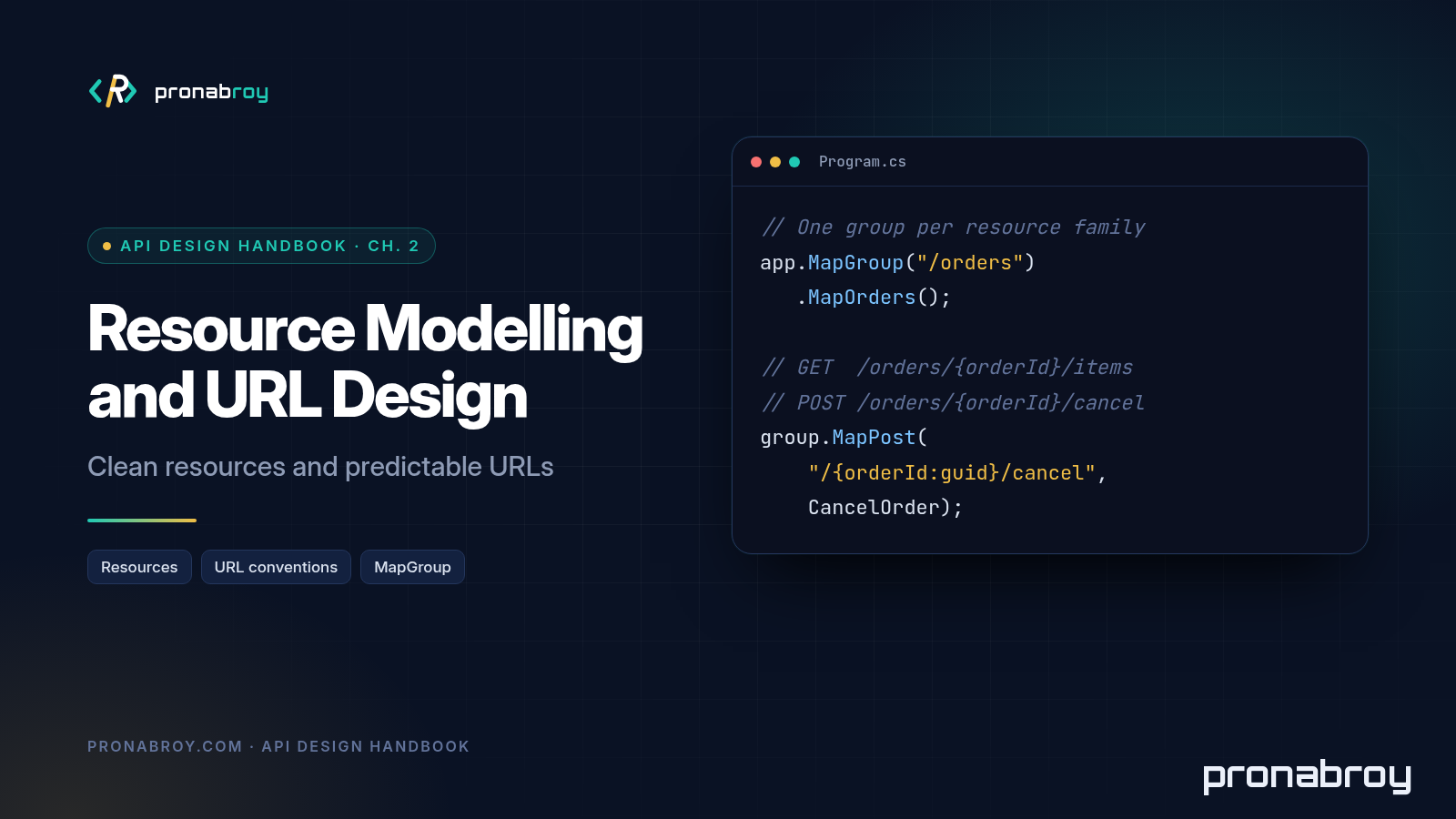
Route groups, added in ASP.NET Core 7 via MapGroup, let you declare a common prefix once and attach endpoints, metadata, and filters to the whole group. They map almost one-to-one onto the resource map. Continue from Chapter 1’s Program.cs and organise it like this:
using Microsoft.AspNetCore.Http.HttpResults;

var builder = WebApplication.CreateBuilder(args);
builder.Services.AddSingleton<ShipCartStore>();

// Lowercase URLs when the app generates links, matching our style guide.
builder.Services.Configure<RouteOptions>(o => o.LowercaseUrls = true);

var app = builder.Build();

app.MapGroup("/products").WithTags("Products").MapProducts();
app.MapGroup("/orders").WithTags("Orders").MapOrders();
app.MapGroup("/shipments").WithTags("Shipments").MapShipments();

app.Run();

public static class ProductEndpoints
{
    public static RouteGroupBuilder MapProducts(this RouteGroupBuilder group)
    {
        group.MapGet("/", (ShipCartStore store) => TypedResults.Ok(store.Products));

        group.MapGet("/{productId:int}", Results<Ok<Product>, NotFound> (int productId, ShipCartStore store) =>
            store.Products.FirstOrDefault(p => p.Id == productId) is { } product
                ? TypedResults.Ok(product)
                : TypedResults.NotFound());

        return group;
    }
}

public static class OrderEndpoints
{
    public static RouteGroupBuilder MapOrders(this RouteGroupBuilder group)
    {
        group.MapGet("/{orderId:guid}", Results<Ok<Order>, NotFound> (Guid orderId, ShipCartStore store) =>
            store.Orders.TryGetValue(orderId, out var order)
                ? TypedResults.Ok(order)
                : TypedResults.NotFound());

        // Sub-resource: one level of nesting under a single order.
        group.MapGet("/{orderId:guid}/items", Results<Ok<IReadOnlyList<OrderItem>>, NotFound> (Guid orderId, ShipCartStore store) =>
            store.Orders.TryGetValue(orderId, out var order)
                ? TypedResults.Ok(order.Items)
                : TypedResults.NotFound());

        // Filtered view of the top-level shipments collection.
        group.MapGet("/{orderId:guid}/shipments", Results<Ok<List<Shipment>>, NotFound> (Guid orderId, ShipCartStore store) =>
            store.Orders.ContainsKey(orderId)
                ? TypedResults.Ok(store.Shipments.Values.Where(s => s.OrderId == orderId).ToList())
                : TypedResults.NotFound());

        // A business action with rules gets its own endpoint.
        group.MapPost("/{orderId:guid}/cancel", Results<Ok<Order>, NotFound, Conflict<string>> (Guid orderId, ShipCartStore store) =>
        {
            if (!store.Orders.TryGetValue(orderId, out var order))
                return TypedResults.NotFound();

            if (order.Status is "dispatched" or "delivered")
                return TypedResults.Conflict("Orders can't be cancelled after dispatch.");

            var cancelled = order with { Status = "cancelled" };
            store.Orders[orderId] = cancelled;
            return TypedResults.Ok(cancelled);
        });

        return group;
    }
}

public static class ShipmentEndpoints
{
    public static RouteGroupBuilder MapShipments(this RouteGroupBuilder group)
    {
        group.MapGet("/{shipmentId:guid}", Results<Ok<Shipment>, NotFound> (Guid shipmentId, ShipCartStore store) =>
            store.Shipments.TryGetValue(shipmentId, out var shipment)
                ? TypedResults.Ok(shipment)
                : TypedResults.NotFound());

        group.MapGet("/{shipmentId:guid}/tracking-events", Results<Ok<IReadOnlyList<TrackingEvent>>, NotFound> (Guid shipmentId, ShipCartStore store) =>
            store.Shipments.TryGetValue(shipmentId, out var shipment)
                ? TypedResults.Ok(shipment.TrackingEvents)
                : TypedResults.NotFound());

        return group;
    }
}

// Representations: shaped for clients, not copied from database tables.
public record Product(int Id, string Sku, string Slug, string Name, decimal Price, string Currency, bool InStock);
public record OrderItem(int ProductId, int Quantity, decimal UnitPrice);
public record Order(Guid Id, string Status, IReadOnlyList<OrderItem> Items, DateTimeOffset CreatedAt);
public record TrackingEvent(string Code, string Description, DateTimeOffset OccurredAt);
public record Shipment(Guid Id, Guid OrderId, string Status, IReadOnlyList<TrackingEvent> TrackingEvents);

// In-memory sample data so the exercise runs without a database.
public class ShipCartStore
{
    public static readonly Guid SampleOrderId = Guid.Parse("8f3c2a4e-5b6d-4e7f-9a1b-2c3d4e5f6a7b");
    public static readonly Guid SampleShipmentId = Guid.Parse("1a2b3c4d-5e6f-4a7b-8c9d-0e1f2a3b4c5d");

    public List<Product> Products { get; } =
    [
        new(1, "SKU-1001", "canvas-tote-bag", "Canvas Tote Bag", 19.99m, "USD", true),
        new(2, "SKU-1002", "stainless-water-bottle", "Stainless Water Bottle", 24.50m, "USD", true),
        new(3, "SKU-1003", "wireless-mouse", "Wireless Mouse", 29.00m, "USD", false)
    ];

    public Dictionary<Guid, Order> Orders { get; } = new()
    {
        [SampleOrderId] = new(SampleOrderId, "placed",
            [new(1, 2, 19.99m), new(2, 1, 24.50m)],
            new DateTimeOffset(2026, 10, 20, 9, 30, 0, TimeSpan.Zero))
    };

    public Dictionary<Guid, Shipment> Shipments { get; } = new()
    {
        [SampleShipmentId] = new(SampleShipmentId, SampleOrderId, "label-created",
            [new("label-created", "Shipping label created", new DateTimeOffset(2026, 10, 20, 11, 0, 0, TimeSpan.Zero))])
    };
}
A few things to notice:
- Each resource family lives in one group.
/orders, its sub-resources, and its actions sit together, so the code mirrors the URL table. As the API grows, you can attach things like authorisation or rate-limiting policies to a whole group with one call, which we’ll use in Chapters 8 and 9. - Route constraints enforce the identifier rules.
{orderId:guid}means/orders/not-a-guidreturns404without ever reaching the handler. Constraints are for matching routes, not for validating input; Microsoft’s docs recommend using them to disambiguate routes rather than as validation, and we’ll cover proper validation errors in Chapter 4. Results<...>lists every outcome. The cancel handler can return200,404, or409 Conflict, and the signature says so. Chapter 3 explains why409fits a cancellation that breaks a business rule, and Chapter 4 replaces the plain string with a standard Problem Details body.LowercaseUrlsonly affects URLs that ASP.NET Core generates, such as links built withLinkGenerator. Incoming route matching is case-insensitive by default, so/Ordersstill matches/orders. The style guide is what keeps your published URLs lowercase.
The [ ... ] collection expressions need C# 12 (.NET 8 or later), which matches Chapter 1’s requirements.
Step 5: Try It
Run the app as in Chapter 1:
dotnet run --project src/ShipCart.Api --urls http://localhost:5000
Then, in a second terminal:
curl -i http://localhost:5000/products/1
curl -i http://localhost:5000/orders/8f3c2a4e-5b6d-4e7f-9a1b-2c3d4e5f6a7b/items
curl -i http://localhost:5000/orders/8f3c2a4e-5b6d-4e7f-9a1b-2c3d4e5f6a7b/shipments
curl -i http://localhost:5000/orders/not-a-guid
curl -i -X POST http://localhost:5000/orders/8f3c2a4e-5b6d-4e7f-9a1b-2c3d4e5f6a7b/cancel
For each request, note the status code and check that the URL follows the style guide. The not-a-guid request should return 404 because the route constraint doesn’t match.
Stretch goals:
- Add
GET /products/{slug}as an alias that returns the same representation as/products/{productId:int}. Because the integer route has a constraint, both can coexist. Then decide: should the alias redirect to the ID URL with301, or return the product directly? Write down your reasoning. - Add
POST /shipments/{shipmentId:guid}/dispatchthat returns409 Conflictif the shipment has already been dispatched. - Add the singleton
GET /cartgroup. What does the server use to decide whose cart it is, if not an ID in the URL? (You’ll answer this properly in Chapter 8.)
Key Takeaways
- Find resources by listening for nouns in how the business is described, not by listing database tables.
- Pair collections and items (
/orders,/orders/{orderId}) so URLs are predictable. - Use sub-resources for children that can’t exist without their parent, and nest at most one level deep.
- Use plural nouns, lowercase paths, and hyphens. Keep JSON naming as a separate, consistent rule.
- Identifiers must be stable and should be opaque to clients. Slugs make good aliases, not primary keys. Unguessable IDs are not a substitute for authorisation.
- Model business actions with rules as explicit endpoints (
POST /orders/{orderId}/cancel), and plain edits withPATCH. - Keep tables, technology, service boundaries, and sensitive data out of your URLs.
- Write a short style guide, and use
MapGroupso your code mirrors your resource map.
Further Reading (Primary Sources)
- RFC 3986: Uniform Resource Identifier (URI): Generic Syntax
- RFC 9110: HTTP Semantics
- Microsoft Learn: Route handlers in Minimal API apps (route groups)
- Microsoft Learn: Routing in ASP.NET Core (route constraints)
- Zalando RESTful API and Event Guidelines
- Google API Improvement Proposals: AIP-136 Custom methods
Previous: Chapter 1 — What Makes a Good API? | Table of Contents | Next: Chapter 3 — HTTP Methods, Status Codes, and Semantics Done Right (coming soon)
Get the next chapter
One email when a new chapter or deep-dive is published. Practical backend and API design notes. No spam, unsubscribe any time.