CI/CD for .NET with GitHub Actions: Build, Test, Containerize and Deploy
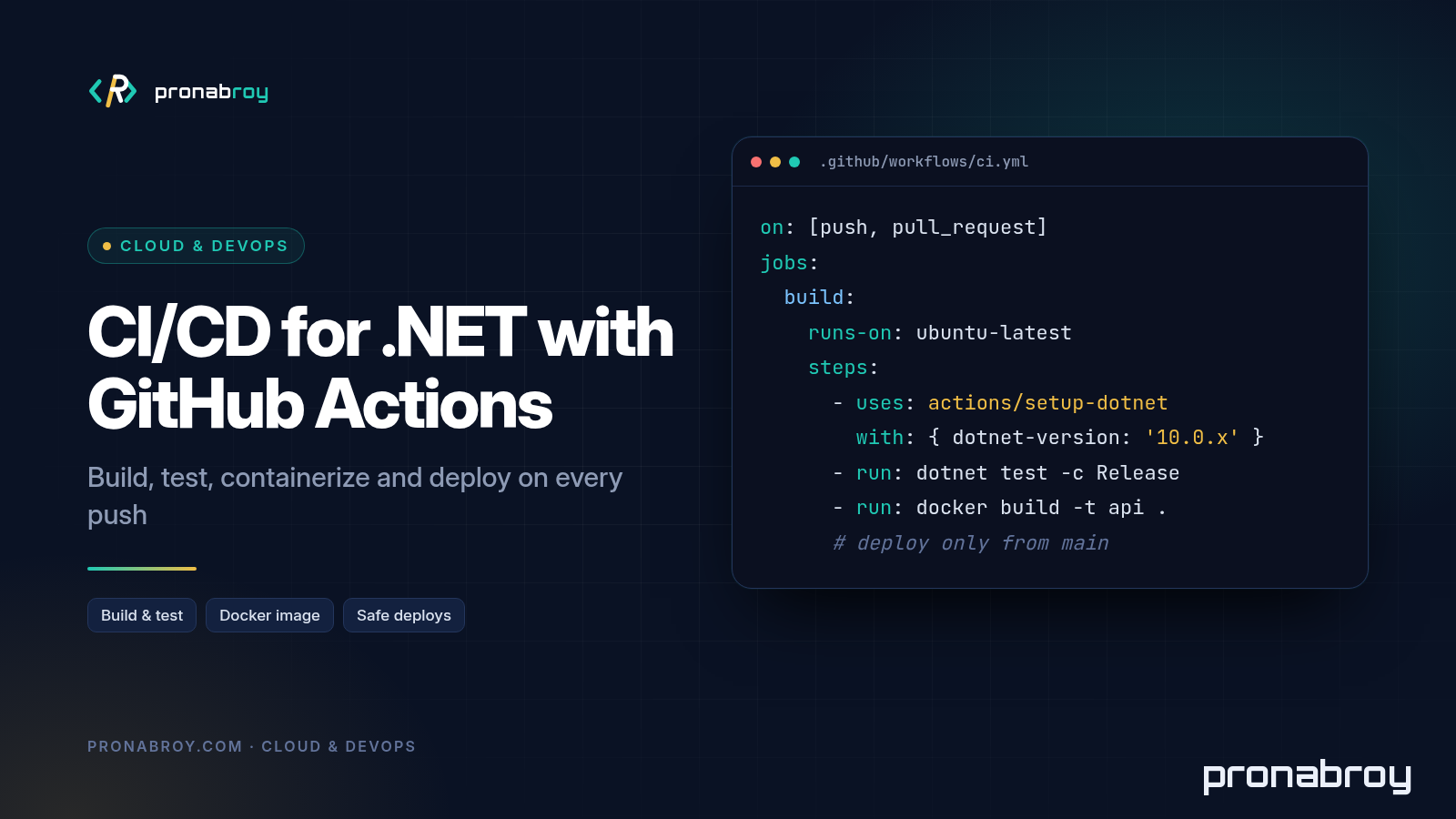
Most .NET teams already have a GitHub Actions .NET workflow. It’s usually the one from the template: check out, set up the SDK, dotnet build, dotnet test, done. That’s a start, but it’s not a pipeline you can trust with production. It doesn’t cache anything, it lets warnings and unformatted code through, it never produces an artifact you can deploy, and when someone finally adds a deploy step it tends to come with a long-lived cloud key pasted into the repository secrets.
This post builds a complete .NET CI/CD pipeline for an ASP.NET Core API, one piece at a time: fast feedback on pull requests, quality gates that actually block merges, a Docker image pushed to GitHub Container Registry, and a deployment from main that needs an approval and uses OIDC instead of stored credentials. The last section has the whole ci.yml in one block, ready to copy.
The examples assume this layout, the same one I used in Dockerizing an ASP.NET Core API the Right Way:
.
├── Api.sln
├── Directory.Build.props
├── Dockerfile
├── src/Api/Api.csproj
└── tests/Api.Tests/Api.Tests.csproj
I ran every dotnet command below locally against the .NET 8 and .NET 10 SDKs, and the action versions are the current major releases as of October 2026.
What a good .NET pipeline does
Before writing YAML, decide what the pipeline is for. A useful .NET CI/CD pipeline has two jobs, and they have different goals.
On pull requests, give fast, reliable feedback. A developer should know within a few minutes whether their change builds, passes tests, follows the code style and keeps coverage where it was. Nothing is deployed and nothing is pushed.
On main, produce a trusted artifact and ship it. Every merge builds one immutable artifact (here, a Docker image tagged with the commit SHA), and that exact image is what gets deployed. You never rebuild “the same” code for production on a different machine.
From that, a few rules follow:
- The same commands run locally and in CI. If CI runs
dotnet format --verify-no-changes, so can a developer. No pipeline-only magic. - Fail early and loudly. Cheap checks (restore, build, format) run before expensive ones (container builds, deployments).
- Required checks gate the merge. A red pipeline that nobody is forced to look at is just decoration.
- Deployment is boring. It takes an artifact that already passed everything, needs a human approval for production, and holds no permanent secrets.
Your first workflow: triggers, runners, setup-dotnet, restore, build, test
Workflows live in .github/workflows/. Here is a minimal but correct GitHub Actions ASP.NET Core workflow:
# .github/workflows/ci.yml
name: ci

on:
  push:
    branches: [main]
  pull_request:
    branches: [main]
  workflow_dispatch:

permissions:
  contents: read

jobs:
  build-test:
    runs-on: ubuntu-latest
    steps:
      - uses: actions/checkout@v7

      - uses: actions/setup-dotnet@v6
        with:
          dotnet-version: 10.0.x

      - name: Restore
        run: dotnet restore

      - name: Build
        run: dotnet build --configuration Release --no-restore

      - name: Test
        run: dotnet test --configuration Release --no-build
A few details matter here:
- Triggers.
pull_requestruns on every PR intomain;pushtomainruns after the merge;workflow_dispatchadds a “Run workflow” button for manual runs. Don’t trigger on every push to every branch, or each PR runs twice. - Runners.
ubuntu-latestis the cheapest and fastest GitHub-hosted runner for .NET. Usewindows-latestonly if you really need Windows (WPF, .NET Framework, Windows-only APIs). actions/setup-dotnet. The runner image already has some SDKs installed, but which ones changes over time. Pin the version you need. If your repository has aglobal.json, useglobal-json-file: global.jsoninstead, so local builds and CI agree on the SDK.--no-restoreand--no-build. Each step reuses the output of the previous one. Without these flagsdotnet testsilently restores and builds again, which costs time and can hide a broken step.permissions: contents: read. The defaultGITHUB_TOKENcan have write access depending on repository settings. Start read-only and grant more per job.
That workflow works. It’s also slower than it needs to be and doesn’t block much, so let’s fix both.
Making it fast: NuGet caching, test reports and a matrix for .NET 8 and 10
Cache NuGet packages with a lock file
Restore is often the slowest step on a cold runner. actions/setup-dotnet can cache the global NuGet packages folder for you, but it keys the cache on packages.lock.json files and fails if there are none. That’s a good thing: lock files make restores reproducible as well as cacheable.
Turn them on for every project in Directory.Build.props:
<!-- Directory.Build.props -->
<Project>
  <PropertyGroup>
    <RestorePackagesWithLockFile>true</RestorePackagesWithLockFile>
  </PropertyGroup>
</Project>
Run dotnet restore once locally and commit the generated packages.lock.json files. Then enable the cache and restore in locked mode, which fails if the lock file and the project files disagree instead of quietly resolving different versions:
      - uses: actions/setup-dotnet@v6
        with:
          dotnet-version: 10.0.x
          cache: true
          cache-dependency-path: '**/packages.lock.json'

      - name: Restore
        run: dotnet restore --locked-mode
When you add or update a package, run dotnet restore locally and commit the updated lock file with the change. Dependabot and Renovate both understand NuGet lock files.
Publish test results where people will see them
When a test fails, nobody wants to scroll through raw logs. Write results as TRX and turn them into a check with a readable summary:
      - name: Test
        run: >
          dotnet test --configuration Release --no-build
          --logger "trx;LogFileName=test-results.trx"
          --results-directory TestResults

      - name: Test report
        if: ${{ !cancelled() }}
        uses: dorny/test-reporter@v3
        with:
          name: Tests
          path: 'TestResults/**/*.trx'
          reporter: dotnet-trx

      - name: Upload test results
        if: ${{ !cancelled() }}
        uses: actions/upload-artifact@v7
        with:
          name: test-results
          path: TestResults
if: ${{ !cancelled() }} runs these steps even when tests fail, which is exactly when you need them. The reporter creates a check run, so the job needs checks: write permission (the complete workflow grants it to this job only). For pull requests from forks the token is read-only and the check can’t be created; the reporter’s README describes a two-workflow setup for public repositories.
Run a matrix for .NET 8 and .NET 10
.NET 8 support ends on November 10, 2026, so many teams are mid-migration to .NET 10 right now. While you move, multi-target the projects and test both frameworks in parallel:
<!-- src/Api/Api.csproj and tests/Api.Tests/Api.Tests.csproj -->
<PropertyGroup>
  <TargetFrameworks>net8.0;net10.0</TargetFrameworks>
</PropertyGroup>
jobs:
  build-test:
    runs-on: ubuntu-latest
    strategy:
      fail-fast: false
      matrix:
        tfm: [net8.0, net10.0]
    steps:
      - uses: actions/checkout@v7

      - uses: actions/setup-dotnet@v6
        with:
          dotnet-version: |
            8.0.x
            10.0.x
          cache: true
          cache-dependency-path: '**/packages.lock.json'

      - run: dotnet restore --locked-mode
      - run: dotnet build --configuration Release --no-restore --framework ${{ matrix.tfm }}
      - run: >
          dotnet test --configuration Release --no-build --framework ${{ matrix.tfm }}
          --logger "trx;LogFileName=test-results.trx"
          --results-directory TestResults/${{ matrix.tfm }}
Both SDKs are installed because the .NET 8 test host needs the .NET 8 runtime; the .NET 10 SDK builds both targets. fail-fast: false keeps the other leg running when one fails, so you see whether a failure is framework-specific. When the migration is done, drop net8.0 from TargetFrameworks and the matrix.
Quality gates: dotnet format, warnings as errors, coverage and required checks
Fast is useless if bad code still gets through. These gates are cheap and catch real problems.
Warnings as errors and analyzers
Put the rules in Directory.Build.props so they apply locally and in CI alike:
<Project>
  <PropertyGroup>
    <Nullable>enable</Nullable>
    <ImplicitUsings>enable</ImplicitUsings>
    <TreatWarningsAsErrors>true</TreatWarningsAsErrors>
    <AnalysisLevel>latest-recommended</AnalysisLevel>
    <EnforceCodeStyleInBuild>true</EnforceCodeStyleInBuild>
    <RestorePackagesWithLockFile>true</RestorePackagesWithLockFile>
  </PropertyGroup>
</Project>
With AnalysisLevel set to latest-recommended, the template test method Addition_Works already fails the build with CA1707 (no underscores in member names). That’s the point: you find out on day one, not after 400 warnings have piled up. If your team prefers underscores in test names, turn that rule off for test projects in .editorconfig instead of disabling warnings as errors.
On an existing codebase with hundreds of warnings, enable TreatWarningsAsErrors per project as you clean them up, or use <WarningsAsErrors> to promote specific rules first, such as nullable warnings (nullable).
dotnet format
dotnet format ships with the SDK. With --verify-no-changes it exits with a non-zero code if any file would change, which makes it a perfect CI check:
  format:
    runs-on: ubuntu-latest
    steps:
      - uses: actions/checkout@v7
      - uses: actions/setup-dotnet@v6
        with:
          dotnet-version: |
            8.0.x
            10.0.x
          cache: true
          cache-dependency-path: '**/packages.lock.json'
      - run: dotnet restore --locked-mode
      - run: dotnet format --verify-no-changes --no-restore --verbosity diagnostic
Developers fix failures by running dotnet format locally. Put the style rules in a committed .editorconfig so everyone formats the same way.
Code coverage with a minimum
The xunit template already references coverlet.collector. Collect coverage during the test run, merge the reports with ReportGenerator, show a summary on the run page and fail below a threshold:
      - name: Test with coverage
        run: >
          dotnet test --configuration Release --no-build
          --collect:"XPlat Code Coverage"
          --results-directory TestResults

      - name: Coverage report
        run: |
          dotnet tool install --global dotnet-reportgenerator-globaltool
          reportgenerator -reports:"TestResults/**/coverage.cobertura.xml" \
            -targetdir:coverage -reporttypes:"MarkdownSummaryGithub;JsonSummary"
          cat coverage/SummaryGithub.md >> "$GITHUB_STEP_SUMMARY"

      - name: Enforce minimum coverage
        env:
          MIN_LINE_COVERAGE: 80
        run: |
          line=$(jq '.summary.linecoverage // 0' coverage/Summary.json)
          echo "Line coverage: ${line}%"
          if awk -v c="$line" -v min="$MIN_LINE_COVERAGE" 'BEGIN { exit !(c < min) }'; then
            echo "::error::Line coverage ${line}% is below ${MIN_LINE_COVERAGE}%"
            exit 1
          fi
jq is preinstalled on GitHub-hosted Ubuntu runners. Pick a threshold close to what you have today and raise it over time; a number you can’t meet just gets disabled. Coverage tells you which code no test runs, not whether your tests check anything useful, so treat it as a floor rather than a goal.
Make the checks required
None of this blocks a merge until you say so. In the repository settings, add a branch ruleset (or branch protection rule) for main that:
- requires a pull request before merging,
- requires the status checks to pass, for example
build-test (net8.0),build-test (net10.0)andformat, - requires branches to be up to date before merging, and
- blocks force pushes.
The check names are the job names (plus the matrix values), so keep job names stable. Renaming a job silently drops it from the required list.
Containerize: build and push the Docker image to GHCR
The Dockerfile is the multi-stage one from my Docker post, adjusted for lock files and the multi-targeted project. Restore runs in its own layer so that BuildKit can reuse it until a dependency changes:
# Dockerfile
FROM mcr.microsoft.com/dotnet/sdk:10.0 AS build
WORKDIR /src

COPY Directory.Build.props ./
COPY src/Api/Api.csproj src/Api/packages.lock.json src/Api/
RUN dotnet restore src/Api/Api.csproj --locked-mode

COPY src/ src/
RUN dotnet publish src/Api/Api.csproj -c Release -f net10.0 -o /app/publish \
    --no-restore -p:UseAppHost=false

FROM mcr.microsoft.com/dotnet/aspnet:10.0-noble-chiseled AS final
WORKDIR /app
COPY --from=build /app/publish .
USER $APP_UID
EXPOSE 8080
ENTRYPOINT ["dotnet", "Api.dll"]
Keep the .dockerignore from that post too, so bin/, obj/ and local secrets never reach the build context.
GitHub Container Registry (ghcr.io) is the natural registry here: it uses the workflow’s own GITHUB_TOKEN, so there’s no registry password to store. The job needs packages: write:
  image:
    needs: [build-test, format]
    runs-on: ubuntu-latest
    permissions:
      contents: read
      packages: write
    outputs:
      digest: ${{ steps.build.outputs.digest }}
    steps:
      - uses: actions/checkout@v7

      - uses: docker/setup-buildx-action@v4

      - uses: docker/login-action@v4
        if: github.event_name != 'pull_request'
        with:
          registry: ghcr.io
          username: ${{ github.actor }}
          password: ${{ secrets.GITHUB_TOKEN }}

      - id: meta
        uses: docker/metadata-action@v6
        with:
          images: ghcr.io/${{ github.repository }}
          tags: |
            type=sha,format=long
            type=raw,value=latest,enable={{is_default_branch}}

      - id: build
        uses: docker/build-push-action@v7
        with:
          context: .
          push: ${{ github.event_name != 'pull_request' }}
          tags: ${{ steps.meta.outputs.tags }}
          labels: ${{ steps.meta.outputs.labels }}
          cache-from: type=gha
          cache-to: type=gha,mode=max
What each piece does:
- Pull requests build the image but don’t push it. A broken Dockerfile fails the PR, but unreviewed code never lands in the registry.
docker/metadata-actiongenerates tags and OCI labels.type=sha,format=longtags each image with the full commit SHA, which is what you deploy;latestis only a convenience for humans on the default branch.cache-from/cache-to: type=ghastores BuildKit layers in the Actions cache, so the restore layer is reused across runs.- The digest output (
sha256:...) identifies the exact image. Deploying by digest guarantees the image can’t change under you, even if someone re-pushes a tag.
The image: name must be lowercase. github.repository keeps the owner’s capitalisation, so if your account or organisation name has capitals, hardcode a lowercase name instead.
Deploying safely: environments, approvals, secrets and OIDC
Environments and manual approvals
A GitHub environment (Settings → Environments) groups deployment rules and secrets. Create one called production and configure:
- Required reviewers: one or more people who must approve each deployment.
- Deployment branches and tags: only
maincan deploy. - Environment secrets and variables: values only jobs targeting this environment can read.
A job that targets the environment pauses until a reviewer approves it in the Actions UI:
  deploy:
    needs: image
    if: github.ref == 'refs/heads/main' && github.event_name == 'push'
    runs-on: ubuntu-latest
    environment:
      name: production
      url: https://api.example.com
    concurrency:
      group: deploy-production
      cancel-in-progress: false
The concurrency group makes deployments run one at a time, and cancel-in-progress: false means a newer deployment waits instead of killing one that’s halfway through.
Required reviewers on private repositories depend on your GitHub plan, so check that before you rely on them.
OIDC instead of stored cloud keys
The classic setup stores a service principal secret or an access key in repository secrets. That key lives for months, works from anywhere, and anyone who can edit a workflow can try to use it.
With OpenID Connect, the job asks GitHub for a short-lived signed token that says “repository X, environment production, commit Y”. Your cloud provider trusts GitHub’s issuer, checks those claims and exchanges the token for credentials that expire within the hour. There’s no secret to leak or rotate.
For Azure: create an app registration (or a user-assigned managed identity), add a federated credential with issuer https://token.actions.githubusercontent.com and subject repo:<owner>/<repo>:environment:production, and give it the least role it needs on the target resource. Store its client ID, tenant ID and subscription ID as environment variables; they are identifiers, not secrets. Then:
    permissions:
      id-token: write   # allow the job to request an OIDC token
      contents: read
    steps:
      - uses: azure/login@v3
        with:
          client-id: ${{ vars.AZURE_CLIENT_ID }}
          tenant-id: ${{ vars.AZURE_TENANT_ID }}
          subscription-id: ${{ vars.AZURE_SUBSCRIPTION_ID }}

      - uses: azure/webapps-deploy@v2
        with:
          app-name: ${{ vars.AZURE_WEBAPP_NAME }}
          images: ghcr.io/${{ github.repository }}@${{ needs.image.outputs.digest }}
Because the subject includes environment:production, the credential only works for jobs that passed the environment’s approval and branch rules. AWS (aws-actions/configure-aws-credentials with role-to-assume) and Google Cloud (google-github-actions/auth with Workload Identity Federation) follow the same pattern.
If the GHCR package is private, the App Service also needs credentials to pull it. Either make the package public for open-source projects, or configure the web app with a GitHub token that has only read:packages, or mirror the image to Azure Container Registry and let the web app’s managed identity pull it.
Secrets that remain
Some values can’t be replaced by OIDC, such as a third-party API key. Store them as environment secrets rather than repository secrets, pass them to steps through env:, and never echo them. GitHub masks known secrets in logs, but it can’t mask a value you’ve transformed, for example base64-encoded. Application secrets such as connection strings belong in the platform’s configuration or Key Vault, not in the image.
Reusable workflows and common pitfalls
Reusable workflows
Once you have several services, copy-pasted YAML drifts. Move the shared build into a reusable workflow with on: workflow_call:
# .github/workflows/dotnet-build.yml
name: dotnet-build

on:
  workflow_call:
    inputs:
      dotnet-version:
        type: string
        default: 10.0.x

permissions:
  contents: read

jobs:
  build-test:
    runs-on: ubuntu-latest
    steps:
      - uses: actions/checkout@v7
      - uses: actions/setup-dotnet@v6
        with:
          dotnet-version: ${{ inputs.dotnet-version }}
          cache: true
          cache-dependency-path: '**/packages.lock.json'
      - run: dotnet restore --locked-mode
      - run: dotnet build --configuration Release --no-restore
      - run: dotnet test --configuration Release --no-build
Callers use it as a job:
jobs:
  build:
    uses: ./.github/workflows/dotnet-build.yml
    with:
      dotnet-version: 10.0.x
To share it across repositories, reference it as my-org/shared-workflows/.github/workflows/dotnet-build.yml@<tag-or-sha>. Use composite actions instead when you want to share a few steps rather than whole jobs.
Pitfalls I see most often
Unpinned or loosely pinned actions. @v7 is a moving tag; the action’s owner (or an attacker who compromises their account) can point it at new code. For first-party actions/* and well-known publishers, a major tag is a reasonable trade-off. For third-party actions, especially any that see secrets, pin the full commit SHA and keep the version as a comment:
- uses: actions/checkout@3d3c42e5aac5ba805825da76410c181273ba90b1 # v7.0.1
Dependabot can still update SHA-pinned actions when you add a github-actions entry to .github/dependabot.yml:
version: 2
updates:
  - package-ecosystem: github-actions
    directory: /
    schedule:
      interval: weekly
  - package-ecosystem: nuget
    directory: /
    schedule:
      interval: weekly
Over-privileged tokens. Set permissions: contents: read at the top of every workflow, then grant packages: write, checks: write or id-token: write only to the job that needs it. In the repository’s Actions settings, set the default workflow permissions to read-only as well.
pull_request_target with a checkout of the PR code. It runs with secrets and a write token in the context of the base branch. Checking out and building untrusted PR code there hands your secrets to anyone who opens a PR. Use plain pull_request unless you fully understand the difference.
Script injection. Never put ${{ github.event.pull_request.title }} or other user-controlled values directly inside run:. Pass them through env: and reference them as shell variables, "$PR_TITLE".
Rebuilding for production. Deploy the digest that passed CI. A separate “release” build from the same commit is a different artifact.
No timeouts. A hung test can burn up to six hours of runner minutes, the default job limit. Set timeout-minutes on every job.
The complete ci.yml, copy-paste ready
Everything above in one file. It needs the Directory.Build.props, committed lock files and the Dockerfile shown earlier, a production environment with required reviewers, and the AZURE_* variables on that environment. If you deploy somewhere other than Azure, replace the two steps in the deploy job.
# .github/workflows/ci.yml
name: ci

on:
  push:
    branches: [main]
  pull_request:
    branches: [main]
  workflow_dispatch:

permissions:
  contents: read

concurrency:
  group: ci-${{ github.ref }}
  cancel-in-progress: ${{ github.event_name == 'pull_request' }}

env:
  DOTNET_NOLOGO: true
  DOTNET_CLI_TELEMETRY_OPTOUT: true

jobs:
  build-test:
    name: build-test (${{ matrix.tfm }})
    runs-on: ubuntu-latest
    timeout-minutes: 20
    permissions:
      contents: read
      checks: write
    strategy:
      fail-fast: false
      matrix:
        tfm: [net8.0, net10.0]
    steps:
      - uses: actions/checkout@v7

      - uses: actions/setup-dotnet@v6
        with:
          dotnet-version: |
            8.0.x
            10.0.x
          cache: true
          cache-dependency-path: '**/packages.lock.json'

      - name: Restore
        run: dotnet restore --locked-mode

      - name: Build
        run: dotnet build --configuration Release --no-restore --framework ${{ matrix.tfm }}

      - name: Test
        run: >
          dotnet test --configuration Release --no-build --framework ${{ matrix.tfm }}
          --logger "trx;LogFileName=test-results.trx"
          --collect:"XPlat Code Coverage"
          --results-directory TestResults

      - name: Test report
        if: ${{ !cancelled() }}
        uses: dorny/test-reporter@v3
        with:
          name: Tests (${{ matrix.tfm }})
          path: 'TestResults/**/*.trx'
          reporter: dotnet-trx

      - name: Coverage report
        if: ${{ !cancelled() }}
        run: |
          dotnet tool install --global dotnet-reportgenerator-globaltool
          reportgenerator -reports:"TestResults/**/coverage.cobertura.xml" \
            -targetdir:coverage -reporttypes:"MarkdownSummaryGithub;JsonSummary"
          cat coverage/SummaryGithub.md >> "$GITHUB_STEP_SUMMARY"

      - name: Enforce minimum coverage
        env:
          MIN_LINE_COVERAGE: 80
        run: |
          line=$(jq '.summary.linecoverage // 0' coverage/Summary.json)
          echo "Line coverage: ${line}%"
          if awk -v c="$line" -v min="$MIN_LINE_COVERAGE" 'BEGIN { exit !(c < min) }'; then
            echo "::error::Line coverage ${line}% is below ${MIN_LINE_COVERAGE}%"
            exit 1
          fi

      - name: Upload test results
        if: ${{ !cancelled() }}
        uses: actions/upload-artifact@v7
        with:
          name: test-results-${{ matrix.tfm }}
          path: |
            TestResults
            coverage

  format:
    runs-on: ubuntu-latest
    timeout-minutes: 10
    steps:
      - uses: actions/checkout@v7

      - uses: actions/setup-dotnet@v6
        with:
          dotnet-version: |
            8.0.x
            10.0.x
          cache: true
          cache-dependency-path: '**/packages.lock.json'

      - run: dotnet restore --locked-mode
      - run: dotnet format --verify-no-changes --no-restore --verbosity diagnostic

  image:
    needs: [build-test, format]
    runs-on: ubuntu-latest
    timeout-minutes: 20
    permissions:
      contents: read
      packages: write
    outputs:
      digest: ${{ steps.build.outputs.digest }}
    steps:
      - uses: actions/checkout@v7

      - uses: docker/setup-buildx-action@v4

      - uses: docker/login-action@v4
        if: github.event_name != 'pull_request'
        with:
          registry: ghcr.io
          username: ${{ github.actor }}
          password: ${{ secrets.GITHUB_TOKEN }}

      - id: meta
        uses: docker/metadata-action@v6
        with:
          images: ghcr.io/${{ github.repository }}
          tags: |
            type=sha,format=long
            type=raw,value=latest,enable={{is_default_branch}}

      - id: build
        uses: docker/build-push-action@v7
        with:
          context: .
          push: ${{ github.event_name != 'pull_request' }}
          tags: ${{ steps.meta.outputs.tags }}
          labels: ${{ steps.meta.outputs.labels }}
          cache-from: type=gha
          cache-to: type=gha,mode=max

  deploy:
    needs: image
    if: github.ref == 'refs/heads/main' && github.event_name == 'push'
    runs-on: ubuntu-latest
    timeout-minutes: 15
    permissions:
      contents: read
      id-token: write
    environment:
      name: production
      url: ${{ vars.PRODUCTION_URL }}
    concurrency:
      group: deploy-production
      cancel-in-progress: false
    steps:
      - uses: azure/login@v3
        with:
          client-id: ${{ vars.AZURE_CLIENT_ID }}
          tenant-id: ${{ vars.AZURE_TENANT_ID }}
          subscription-id: ${{ vars.AZURE_SUBSCRIPTION_ID }}

      - uses: azure/webapps-deploy@v2
        with:
          app-name: ${{ vars.AZURE_WEBAPP_NAME }}
          images: ghcr.io/${{ github.repository }}@${{ needs.image.outputs.digest }}
Before you rely on it, run through this list once:
dotnet restore,dotnet build -c Release,dotnet format --verify-no-changesanddotnet testall pass locally.packages.lock.jsonfiles are committed.- A test PR shows
build-test (net8.0),build-test (net10.0)andformatas checks; add them as required checks onmain. - After the first merge, the image appears under the repository’s Packages with a SHA tag.
- The deploy job waits for approval, logs in without any stored cloud secret, and the app’s health endpoint responds after deployment.
Conclusion
A good GitHub Actions .NET pipeline isn’t long, but every line has a job: lock files and caching make it fast, analyzers, formatting and coverage make it strict, a SHA-tagged image makes the artifact trustworthy, and environments with OIDC make deployment safe without a single long-lived cloud key. Start with the first workflow, add one section at a time, and make each gate a required check as soon as it’s green.
If you haven’t containerized your API yet, start with Dockerizing an ASP.NET Core API the Right Way; this pipeline builds directly on that Dockerfile.
Get the next chapter
One email when a new chapter or deep-dive is published. Practical backend and API design notes. No spam, unsubscribe any time.