Caching in ASP.NET Core: IMemoryCache vs Redis vs HybridCache
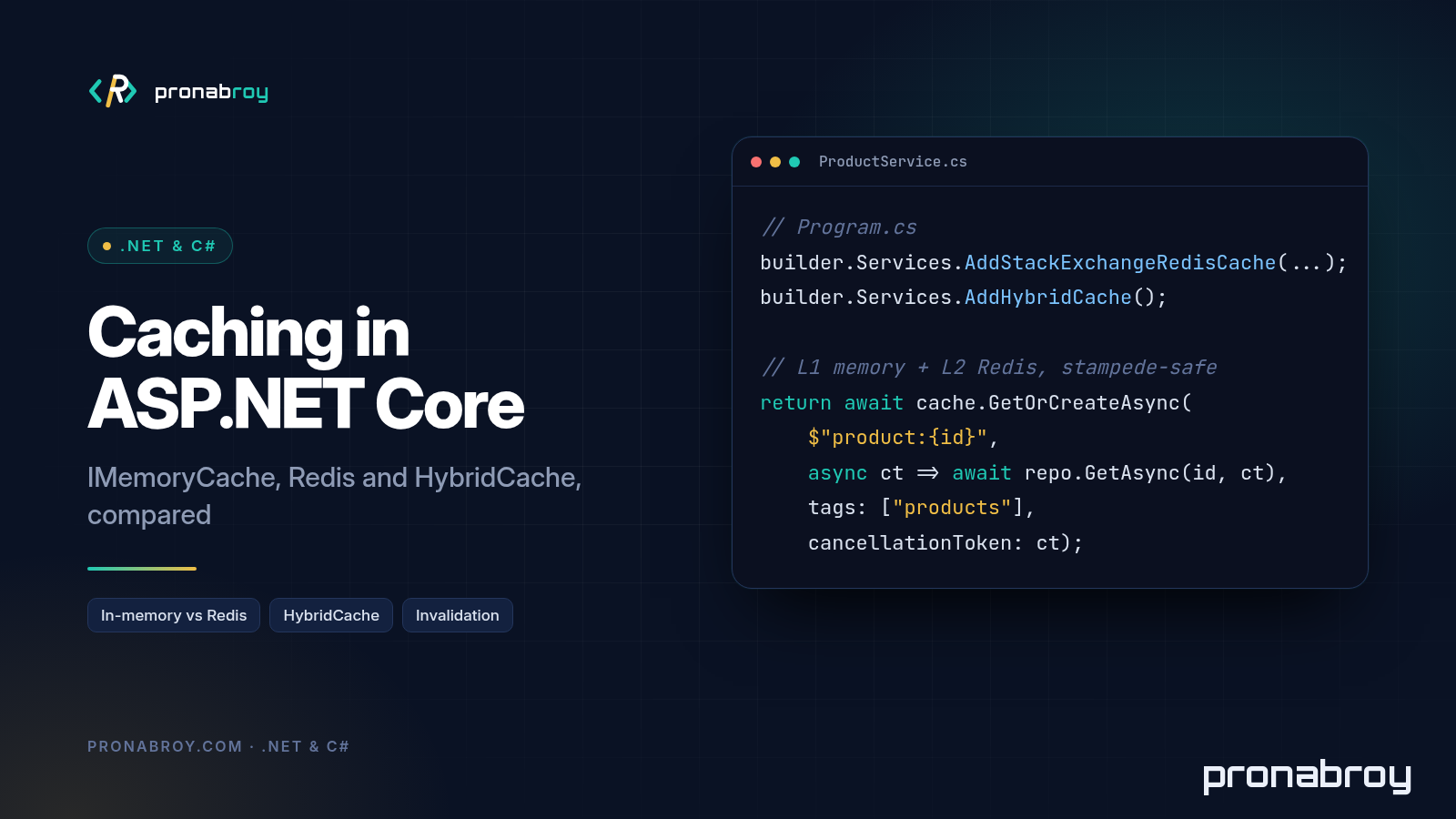
ASP.NET Core caching gives you more options than most teams use, and that’s the problem: IMemoryCache, IDistributedCache with Redis, the newer HybridCache, output caching, response caching. They overlap, they’re named alike, and picking the wrong one tends to show up later as stale data on one server, a Redis bill nobody expected, or a database that falls over every time a hot key expires. This post walks through each option with working C# for .NET 8 and .NET 9 (and notes for .NET 10), and ends with a decision table you can use in design reviews.
All the code below compiles against net8.0, net9.0 and net10.0 in a single multi-targeted project. You don’t need a Redis server to build it, only to run it.
Why cache, and what not to cache
A cache is a copy of data that’s cheaper to read than the original. You add one for three reasons:
- Latency. Reading from process memory or a nearby Redis is usually much faster than a database query or a call to another service.
- Load and cost. Every hit is a query your database, or a downstream API with per-call pricing, doesn’t have to serve.
- Resilience. A warm cache can absorb a traffic spike that would otherwise reach the source all at once.
The price is staleness. Once you cache something, a reader can see an old value until the entry expires or you remove it. So the first design question isn’t “which cache?” but “how stale can this be?”
Good candidates are data that’s read far more often than it’s written and is expensive to produce: product catalogues, configuration and feature flags, reference data (countries, currencies, categories), computed aggregates, and responses from slow third-party APIs.
Think twice before caching:
- Data that must be exactly current, such as stock counts at checkout or anything a write path depends on. Read it from the source of truth.
- Per-user data with low reuse. If each key is read once, you pay for the cache and never benefit.
- Secrets and sensitive personal data, unless you’ve thought about who can read the cache store and for how long.
- Keys built from raw user input. Microsoft’s guidance is explicit: arbitrary input in cache keys lets callers fill your cache with junk. Build keys from internal IDs and known values.
One more rule from the docs worth taping to your monitor: your app must still work when the cache is empty. A cache is an optimisation, never the only copy.
IMemoryCache
IMemoryCache (package Microsoft.Extensions.Caching.Memory, already part of ASP.NET Core) stores objects in the memory of the current process. It’s the fastest option because there’s no network hop and no serialization: you get back the same object reference you stored.
using Microsoft.Extensions.Caching.Memory;

public sealed class MemoryCachedProducts(IMemoryCache cache, IProductRepository repository)
{
    public Task<Product?> GetAsync(int id, CancellationToken ct = default) =>
        cache.GetOrCreateAsync($"product:{id}", entry =>
        {
            entry.AbsoluteExpirationRelativeToNow = TimeSpan.FromMinutes(5); // hard upper bound
            entry.SlidingExpiration = TimeSpan.FromMinutes(1);              // drop if unused
            return repository.GetByIdAsync(id, ct);
        });

    public void Invalidate(int id) => cache.Remove($"product:{id}");
}
Register it with builder.Services.AddMemoryCache(); (many Add* calls such as AddControllersWithViews already do this). A few things the API won’t tell you:
- Combine sliding and absolute expiration. A sliding-only entry that’s read constantly never expires. The absolute expiration caps how stale it can get.
- Nothing limits its size for you. The runtime doesn’t trim the cache under memory pressure. You can set
SizeLimitonMemoryCacheOptions, but then every entry must setSize, which is risky on the shared, DI-registered cache that other libraries also use. If you need a size limit, create a dedicatedMemoryCacheinstance for your own data. GetOrCreateAsyncdoesn’t prevent stampedes. If 200 requests miss the same key at once, the factory can run 200 times. The docs call this out directly.- It’s per instance. This is the big one. With three app instances behind a load balancer, you have three independent caches.
Removeon one server doesn’t touch the others, so after an update users can see different values depending on which instance served them, until each entry expires.
IMemoryCache is a great fit for a single instance, for data where per-instance staleness is fine (reference data with a short TTL), and as the L1 behind something shared. On its own, it’s rarely the full answer for a scaled-out API.
IDistributedCache with Redis
IDistributedCache is the abstraction for a cache that lives outside the process and is shared by every instance. For a Redis cache in ASP.NET Core, add the Microsoft.Extensions.Caching.StackExchangeRedis package and register it:
builder.Services.AddStackExchangeRedisCache(options =>
{
    options.Configuration = builder.Configuration.GetConnectionString("Redis");
    options.InstanceName = "shop:"; // key prefix, handy when apps share a Redis
});
The interface is deliberately small: Get/GetAsync, Set/SetAsync, Refresh/RefreshAsync and Remove/RemoveAsync, all working with byte[]. Serialization is your job, and so is the cache-aside logic:
using System.Text.Json;
using Microsoft.Extensions.Caching.Distributed;

public sealed class DistributedCachedProducts(IDistributedCache cache, IProductRepository repository)
{
    private static readonly DistributedCacheEntryOptions EntryOptions = new()
    {
        AbsoluteExpirationRelativeToNow = TimeSpan.FromMinutes(10)
    };

    public async Task<Product?> GetAsync(int id, CancellationToken ct = default)
    {
        var key = $"product:{id}";

        byte[]? bytes = await cache.GetAsync(key, ct);
        if (bytes is not null)
        {
            return JsonSerializer.Deserialize<Product>(bytes); // hit: one network round trip + deserialize
        }

        var product = await repository.GetByIdAsync(id, ct); // miss: go to the source
        if (product is not null)
        {
            await cache.SetAsync(key, JsonSerializer.SerializeToUtf8Bytes(product), EntryOptions, ct);
        }
        return product;
    }

    public Task InvalidateAsync(int id, CancellationToken ct = default) =>
        cache.RemoveAsync($"product:{id}", ct);
}
This solves the consistency problem: every instance reads and invalidates the same entry. That’s the core of IMemoryCache vs IDistributedCache: the in-memory cache is faster but private to each process; the distributed one is shared, survives app restarts and deployments, and doesn’t use your app’s memory.
What you give up:
- Every hit is a network call plus deserialization. Cheaper than a database query, but not free, and on a hot path it adds up.
- Still no stampede protection. Concurrent misses all go to the database, and all write the same value back.
- Serialization is repeated boilerplate, and every caller must agree on the format.
Two practical notes. AddDistributedMemoryCache() registers an IDistributedCache that’s really in-process. It’s handy for development and tests, but it isn’t distributed. And for most apps Microsoft recommends Redis over the SQL Server implementation for throughput and latency, while also saying to benchmark your own case.
HybridCache (GetOrCreateAsync, stampede protection, tags)
HybridCache is the API that removes most of the boilerplate above. It’s an abstract class with a default implementation in the Microsoft.Extensions.Caching.Hybrid package. It went GA with version 9.3.0 in March 2025, and despite the “.NET 9” branding the package also targets .NET 8, .NET Standard 2.0 and .NET Framework. At the time of writing the current version is 10.11.0, and that’s what I compiled the samples against on all three target frameworks.
dotnet add package Microsoft.Extensions.Caching.HybridIt’s a two-level cache: an in-process primary cache (L1, a MemoryCache) and, if you’ve registered an IDistributedCache, a secondary cache (L2) such as Redis. Register it after the Redis cache and it picks up L2 automatically:
builder.Services.AddStackExchangeRedisCache(options =>
{
    options.Configuration = builder.Configuration.GetConnectionString("Redis");
    options.InstanceName = "shop:";
});

builder.Services.AddHybridCache(options =>
{
    options.MaximumPayloadBytes = 1024 * 1024; // 1 MB (the default)
    options.MaximumKeyLength = 1024;           // the default
    options.DefaultEntryOptions = new HybridCacheEntryOptions
    {
        Expiration = TimeSpan.FromMinutes(5),          // L2 lifetime
        LocalCacheExpiration = TimeSpan.FromMinutes(1) // L1 lifetime
    };
});
Here’s the same product lookup, now with tags and per-entry options:
using Microsoft.Extensions.Caching.Hybrid;

public sealed class HybridCachedProducts(HybridCache cache, IProductRepository repository)
{
    private static readonly HybridCacheEntryOptions ProductOptions = new()
    {
        Expiration = TimeSpan.FromMinutes(10),          // L2 (Redis) lifetime
        LocalCacheExpiration = TimeSpan.FromSeconds(30) // L1 (in-process) lifetime
    };

    public async Task<Product?> GetAsync(int id, CancellationToken ct = default)
    {
        return await cache.GetOrCreateAsync(
            $"product:{id}",
            async cancel => await repository.GetByIdAsync(id, cancel),
            ProductOptions,
            tags: ["products", $"product:{id}"],
            cancellationToken: ct);
    }

    public async Task<IReadOnlyList<Product>> GetByCategoryAsync(string category, CancellationToken ct = default)
    {
        // State overload: a static lambda avoids capturing variables.
        return await cache.GetOrCreateAsync(
            $"products:category:{category}",
            (repository, category),
            static async (state, cancel) =>
                await state.repository.GetByCategoryAsync(state.category, cancel),
            ProductOptions,
            tags: ["products", $"category:{category}"],
            cancellationToken: ct);
    }
}
GetOrCreateAsync checks L1, then L2, and only calls your factory if both miss; the result is written to both levels. Serialization is handled for you (string and byte[] natively, System.Text.Json for everything else), and you can plug in other serializers with AddSerializer<T, TSerializer>() or AddSerializerFactory<TFactory>() chained from AddHybridCache. Microsoft recommends the simpler first overload for most code; the state overload is an optimisation for hot paths.
Stampede protection is the feature that justifies the switch for many teams. A HybridCache instance makes sure only one concurrent caller per key runs the factory, and everyone else awaits that result. Be precise about the scope, though: the coordination is per instance. With five app instances, a cold key can still hit the database up to five times, not 500.
Tags let you group entries and invalidate them together with RemoveByTagAsync. This is a logical invalidation: HybridCache records “ignore anything with this tag created before now”, and old values stay in L1 and L2 until they expire normally. RemoveByTagAsync("*") invalidates everything. Tags can’t be empty or *, and there’s no prefix matching.
Two more details that matter in production:
- If your cached types are immutable, mark them
sealedand add[ImmutableObject(true)]. HybridCache can then reuse the L1 instance instead of deserializing a fresh copy per call. Without both, it copies by default to avoid shared-mutation bugs. - Entries larger than
MaximumPayloadBytes, or with keys longer thanMaximumKeyLength, aren’t cached. They’re logged instead, so check your logs if a “cached” call keeps hitting the database.
.NET 10 note: the API is the same. The HybridCache abstract type ships in the shared framework, but AddHybridCache and the default implementation still come from the NuGet package. A net10.0 build without the package reference fails to find AddHybridCache.
Invalidation strategies
There are only a few tools, and you’ll usually combine them:
- TTLs. Every entry should expire. TTLs are your safety net for the invalidation you forgot. Choose them from the business question (“how stale is acceptable?”), not from a round number.
- Explicit removal on write (cache-aside). Write to the source of truth first, then remove the entry so the next read reloads it. Remove rather than overwrite: overwriting races with concurrent readers that may write back an older value.
- Tag-based removal. When one write affects many entries (a product appears in its own entry and in several category lists), tag them and remove by tag.
public async Task UpdateAsync(Product product, CancellationToken ct = default)
{
    await repository.UpdateAsync(product, ct);                        // 1. write to the source of truth
    await cache.RemoveAsync($"product:{product.Id}", ct);             // 2. drop the single entry
    await cache.RemoveByTagAsync($"category:{product.Category}", ct); // 3. drop lists that contained it
}
Now the caveat that catches people. The docs state it plainly: when you invalidate by key or tag, the entry is invalidated on the current server and in L2, but the L1 cache on other servers isn’t affected. Those servers keep serving their local copy until LocalCacheExpiration passes. So:
- Keep
LocalCacheExpirationshort (seconds to a minute) for data that changes, and longer only for near-static data. - If staleness on other instances is unacceptable for a particular entry, skip L1 for it via
HybridCacheEntryOptions.Flags(for exampleHybridCacheEntryFlags.DisableLocalCache), and accept the network hop.
Output caching vs data caching
Everything so far is data caching: you cache the objects your code uses and still run the endpoint. Output caching caches the whole HTTP response and skips the endpoint entirely. It’s been in ASP.NET Core since .NET 7 and is configured on the server, so a browser sending Cache-Control: max-age=0 can’t bypass it (unlike the older response caching middleware, which follows client headers).
builder.Services.AddOutputCache(options =>
{
    options.AddPolicy("Catalog", policy => policy
        .Expire(TimeSpan.FromMinutes(2))
        .SetVaryByQuery("page", "pageSize")
        .Tag("catalog"));
});

var app = builder.Build();

app.UseAuthentication();
app.UseAuthorization();
app.UseOutputCache(); // after auth (and after UseCors / UseRouting if you use them)

app.MapGet("/catalog/{category}", async (string category, HybridCachedProducts products, CancellationToken ct) =>
    Results.Ok(await products.GetByCategoryAsync(category, ct)))
   .CacheOutput("Catalog");

app.MapPut("/products/{id:int}", async (int id, Product product, HybridCachedProducts products,
    IOutputCacheStore outputCache, CancellationToken ct) =>
{
    await products.UpdateAsync(product with { Id = id }, ct);
    await outputCache.EvictByTagAsync("catalog", ct);
    return Results.NoContent();
});
By default output caching only stores 200 responses to GET/HEAD requests, skips responses that set cookies and requests that are authenticated, and expires entries after 60 seconds. It has resource locking built in, so it also protects against stampedes, and it supports ETag/If-Modified-Since revalidation with 304 Not Modified.
The default store is in-process memory. For a shared store, add Microsoft.AspNetCore.OutputCaching.StackExchangeRedis (available since .NET 8) and call AddStackExchangeRedisOutputCache. Note that’s a different method from AddStackExchangeRedisCache, and Microsoft specifically recommends against backing output caching with a plain IDistributedCache, because it lacks the atomic operations tagging needs.
Use output caching for public, identical-for-everyone responses: catalogue pages, public lists, documentation endpoints. Use data caching when the response is personalised but built from shared pieces, or when several endpoints reuse the same data.
Measuring it
Don’t trust a cache you haven’t measured, and don’t trust anyone else’s benchmark numbers for your workload, including mine (I’m not giving any). Measure three things.
1. Hit ratio. For IMemoryCache, turn on statistics and expose them in a debug endpoint:
builder.Services.AddMemoryCache(options => options.TrackStatistics = true);

app.MapGet("/debug/memory-cache", (IMemoryCache cache) =>
{
    MemoryCacheStatistics? stats = cache.GetCurrentStatistics(); // null unless TrackStatistics = true
    return stats is null
        ? Results.NotFound()
        : Results.Ok(new { stats.TotalHits, stats.TotalMisses, stats.CurrentEntryCount });
});
For HybridCache, the simplest reliable signal is to count requests and factory calls with System.Diagnostics.Metrics. The factory only runs on a full miss, so 1 - factory_calls / requests is your effective hit ratio (L1 and L2 combined):
using System.Diagnostics.Metrics;

public sealed class CacheMetrics
{
    private readonly Counter<long> _requests;
    private readonly Counter<long> _factoryCalls;

    public CacheMetrics(IMeterFactory meterFactory)
    {
        var meter = meterFactory.Create("Shop.Caching");
        _requests = meter.CreateCounter<long>("shop.cache.requests");
        _factoryCalls = meter.CreateCounter<long>("shop.cache.factory_calls");
    }

    public void Request(string cache) => _requests.Add(1, new KeyValuePair<string, object?>("cache", cache));
    public void FactoryCall(string cache) => _factoryCalls.Add(1, new KeyValuePair<string, object?>("cache", cache));
}
Call metrics.Request(...) before GetOrCreateAsync and metrics.FactoryCall(...) as the first line inside the factory. Watch them live with dotnet-counters monitor --counters Shop.Caching, or export them through OpenTelemetry. On the Redis side, INFO stats reports keyspace_hits and keyspace_misses.
2. Latency before and after. Run the same load test against the endpoint with caching off and on, using a tool like k6, bombardier or wrk, and compare p50, p95 and p99, not just the average. ASP.NET Core (8 and later) publishes the http.server.request.duration metric, so you can see the distribution without extra code. For the cache call on its own, BenchmarkDotNet is the right tool.
3. Load on the source. Count database queries (or downstream calls) per second during the test. That’s the number caching is supposed to move.
Common pitfalls when you measure:
- Testing with one hot key gives a perfect hit ratio no real user will ever see. Use a realistic key distribution.
- Measuring only warm-cache performance. Restart the app and measure the cold start too, since that’s when stampedes happen.
- Forgetting Redis latency from where the app actually runs. A cache in another region can be slower than your database.
- Caching
nullfor “not found” without thinking about it. It protects the database from repeated lookups of missing IDs, but a newly created item stays “missing” until the TTL expires.
Decision table: choosing an ASP.NET Core caching strategy
| Scenario | Use | Why |
|---|---|---|
| Single instance, small reference data | IMemoryCache |
Fastest, no infrastructure. |
| Several instances, data must look the same everywhere | HybridCache + Redis (or IDistributedCache + Redis) |
Shared L2; keep LocalCacheExpiration short. |
| Hot keys with expensive factories (cold-start spikes) | HybridCache |
Built-in stampede protection per instance. |
| One write invalidates many entries | HybridCache with tags |
RemoveByTagAsync instead of tracking keys. |
Existing code on IDistributedCache, no time to refactor |
IDistributedCache + Redis now, migrate to HybridCache later |
HybridCache is designed as a drop-in on top of it. |
| Public, identical responses (catalogue pages, public lists) | Output caching (Redis store when scaled out) | Skips the endpoint entirely; tags and locking built in. |
| Personalised responses built from shared data | Data caching (HybridCache) |
Cache the shared pieces, not the response. |
| Data that must be exactly current | No cache | Read from the source of truth. |
Conclusion
For a new ASP.NET Core API on .NET 8 or later, my default is HybridCache with Redis as L2: you get the speed of in-process memory, a shared cache across instances, stampede protection and tag invalidation in one API, with far less code than hand-rolled IDistributedCache logic. Keep IMemoryCache for single-instance or truly local data, add output caching for public responses, and decide how stale each piece of data is allowed to be before you pick a TTL. Then measure.
Caching is also part of API design: what you cache shapes your contract, your status codes and your Cache-Control and ETag headers. If you want to go deeper on that side, my API Design Handbook covers it chapter by chapter.